
If you’ve spent time watching high-production YouTube channels or polished podcast video recordings, you’ve probably noticed something: the hosts look like they’re on camera, not on a webcam. The image has depth. The background isn’t distractingly sharp. The subject is in focus without the camera visibly hunting.
For a long time, achieving that look required a mirrorless camera, a decent lens, a capture card, and the patience to figure out how to make it all work together. The YoloLiv YoloCam S3 is one of the first webcams to close that gap in a meaningful way — and for podcasters and YouTube creators who want a significant step up without a full camera production setup, it’s worth examining closely.
What Podcasters and YouTubers Actually Need From a Camera
Video podcasters and YouTube creators have different requirements than streamers. A streamer needs reliable performance across hours of live content, often in variable conditions. A creator recording video typically has more control over their environment — but they also need their footage to hold up under closer scrutiny, since viewers are watching edited, produced content rather than a live stream.
The requirements break down like this:
Image quality under controlled lighting. Most studio or home recording setups have consistent lighting. The camera needs to render faces accurately, handle the background cleanly, and produce footage that looks intentional — not like a video call.
Autofocus that doesn’t distract. In a recorded interview or solo commentary, a camera that hunts for focus mid-sentence introduces a visual distraction that’s hard to edit out. The autofocus needs to lock on and stay locked.
Color accuracy. YouTube compression and podcast video platforms both reduce image quality. A camera that starts with accurate, well-saturated color gives the footage more headroom before it degrades.
Ease of setup. Most podcasters and creators are not camera operators. The workflow needs to be fast enough that setup doesn’t eat into recording time.
The YoloCam S3 addresses each of these — some better than others.
Image Quality: Finally, the “Camera Look” From a Webcam
The defining characteristic of the S3 for video recording is its image. The 1/1.3-inch CMOS sensor is one of the largest ever installed in a webcam, and it produces a different quality of image than what most webcam users have seen.
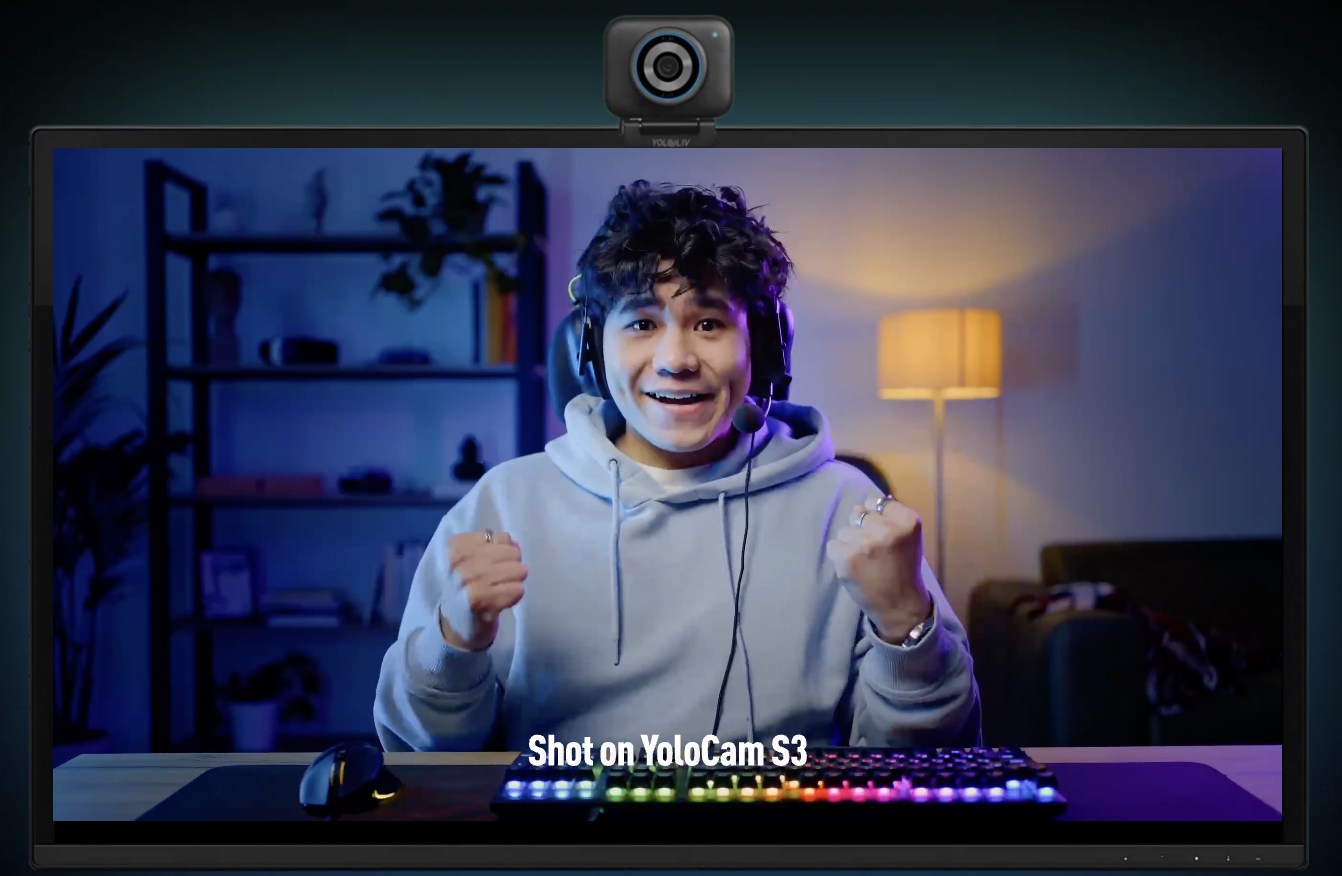
Natural depth of field. The S3’s f/1.85 aperture produces genuine optical background separation — not the AI-generated blur effect that smears edges and produces halos around hair. At typical recording distances (1.5–3 feet), the background is soft, the subject is sharp, and the transition between them looks natural. For a seated interview or solo talking-head recording, this is exactly the look that distinguishes intentional video from casual recording.
Skin tones and color rendering. The S3’s color science leans accurate rather than processed. Skin tones render with texture and variation rather than the plastic-smooth look that over-processed webcam images produce. For podcasters recording long-form content, this means faces look natural over an extended recording — not fatigued or artificially smoothed.
Detail retention. The combination of the large sensor and the Compose app’s uncompressed output means the S3 preserves detail that compressed webcam signals discard. Hair texture, fabric detail, subtle facial expressions — these hold up in the S3’s footage in a way that matters when you’re watching edited video rather than a live stream.
Autofocus for Recording: Why PDAF Matters
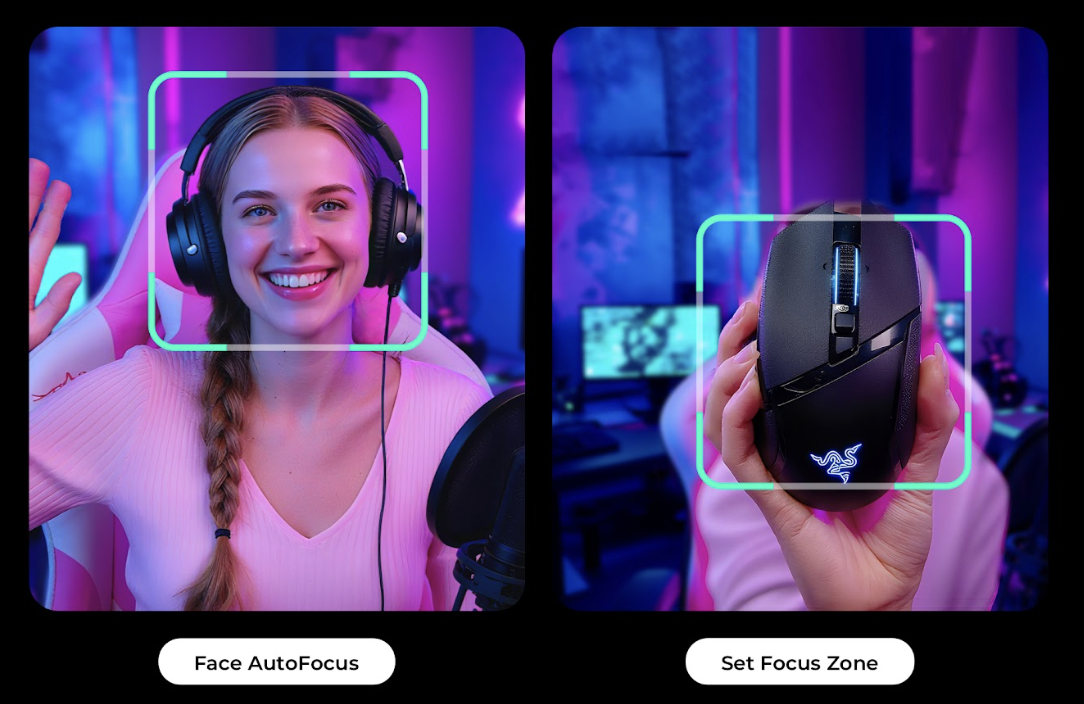
In a live recording, there’s no second take when the camera loses focus. The S3’s PDAF (Phase Detection Autofocus) locks on instantly and maintains focus without hunting even when the subject moves.
For podcast recording specifically, this has a few practical implications:
Multi-person recordings. If you record with a co-host or guest who sits at a different distance than you, the S3 adjusts smoothly when the camera’s attention shifts. Contrast-detection cameras sometimes produce a visible focus hunt during these transitions — the S3 doesn’t.
Movement during recording. Hosts who gesture, lean forward to make a point, or shift position during a long recording session stay in focus. The camera doesn’t lose them when they move.
Low-light conditions. Many home podcast setups don’t have professional lighting. The S3’s large sensor and wide aperture maintain sharp autofocus in dimmer conditions where smaller-sensor cameras start to hunt.
The three autofocus modes available through the Compose app — continuous AF, single AF, and face-priority tracking — give you control over the behavior depending on your setup. For most seated single-host or two-person recordings, continuous AF with face priority is the set-and-forget configuration.
YoloLiv Compose Software for Creators
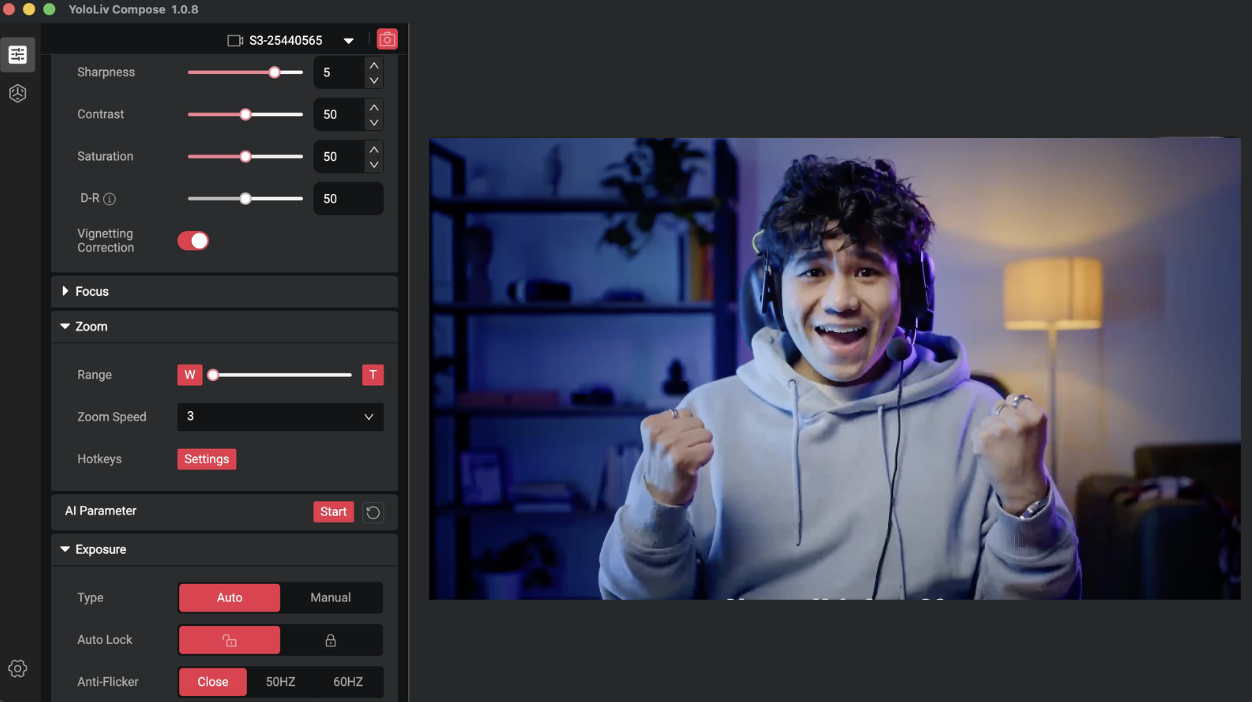
The Compose app is where the S3’s capabilities as a creator tool become most apparent. Unlike webcam apps that give you a few sliders for brightness and contrast, Compose offers a level of control normally associated with dedicated camera systems.
Manual exposure controls. ISO, shutter speed, and aperture (limited by fixed aperture but with ND simulation) give you the ability to set a consistent exposure that doesn’t shift with changes in ambient light. For a recording environment where you want consistent footage across a multi-hour session, locked manual exposure is valuable.
White balance. Manual white balance locks your color temperature so it doesn’t shift between takes or when a cloud passes over a window. Automatic white balance on most webcams drifts — a subtle problem that becomes obvious in the edit when cuts between segments have different color temperatures.
Color profiles. The Compose app includes multiple color presets and a manual color grading panel. For creators who want a specific look — warmer, cooler, more cinematic — these can be dialed in and saved to the camera. The settings persist when you move the camera to a different machine, which matters for creators with multiple recording locations.
Zoom. The 4x digital zoom is lossless down to 1080p, which means you can frame a tighter shot on your face from further away — useful for podcast setups where you need more desk space between you and the camera.
Practical Setup for Podcasting and YouTube Recording
The S3 connects via USB-C 3.0 and delivers uncompressed 4K video. For most creator setups, this means plugging it directly into your recording machine — Mac, PC, or laptop — and opening your software.
With OBS: The S3 works as a standard webcam source. For local recording, setting the source to 4K/30fps and recording to a high-bitrate codec gives you source footage with maximum quality before export. For 1080p recording at 60fps, the image is slightly cropped relative to 4K framing — worth knowing so you can frame appropriately.
With Ecamm Live or ScreenFlow: Full compatibility. The Compose app runs alongside these tools and the settings persist.
Desk positioning: For a typical podcast framing — head and shoulders, slightly above eye level — the S3 works well mounted on a monitor or on a desk stand. The magnetic mounting system makes repositioning fast and holds angle reliably once set.
Where the S3 Has Limits for Creators
The S3 is not without tradeoffs for recording use.
No privacy shutter. For a studio that’s shared with other people or used for non-recording purposes, there’s no physical cover. Third-party lens covers fit, but it’s a minor friction point. YoloCam S3 has an auto shutdown function when the camera is not in use.
84° field of view. The S3’s 84° FOV is somewhat narrower than cameras that offer 90° or wider. For a close desktop setup this is rarely an issue. For recording from distance or capturing a wider scene, you may need to position the camera further away.
No audio. The S3 doesn’t have a built-in microphone. For podcasters, this is either irrelevant (you’re using a dedicated microphone anyway) or a minor consideration compared to the audio quality difference between a built-in mic and any external alternative.
Verdict for Podcasters and YouTube Creators
The YoloCam S3 is the webcam that closes the gap between “video call quality” and “camera quality” most convincingly at its price point. For creators who record seated content — podcast video, YouTube commentary, tutorial recording, interview shows — the S3 delivers the depth, autofocus reliability, and color accuracy that make recorded video look professional rather than incidental.
If you’ve been sitting on the fence about whether your current webcam is holding your content back, the honest answer for most people recording at this level is yes, and the S3 is the most direct upgrade path available without moving to a full camera rig.
At $199, it costs less than most mid-range camera lenses and delivers results that rival setups costing two to three times as much.
The YoloCam S3 is available at $199 from the YoloLiv official store, Amazon, and B&H.
91 total views, 91 views today
Meredith, the Marketing Manager at YoloLiv. After getting her bachelor’s degree, she explores her whole passion for YoloBox and Pro. Also, she contributed blog posts on how to enhance live streaming experiences, how to get started with live streaming, and many more.
