
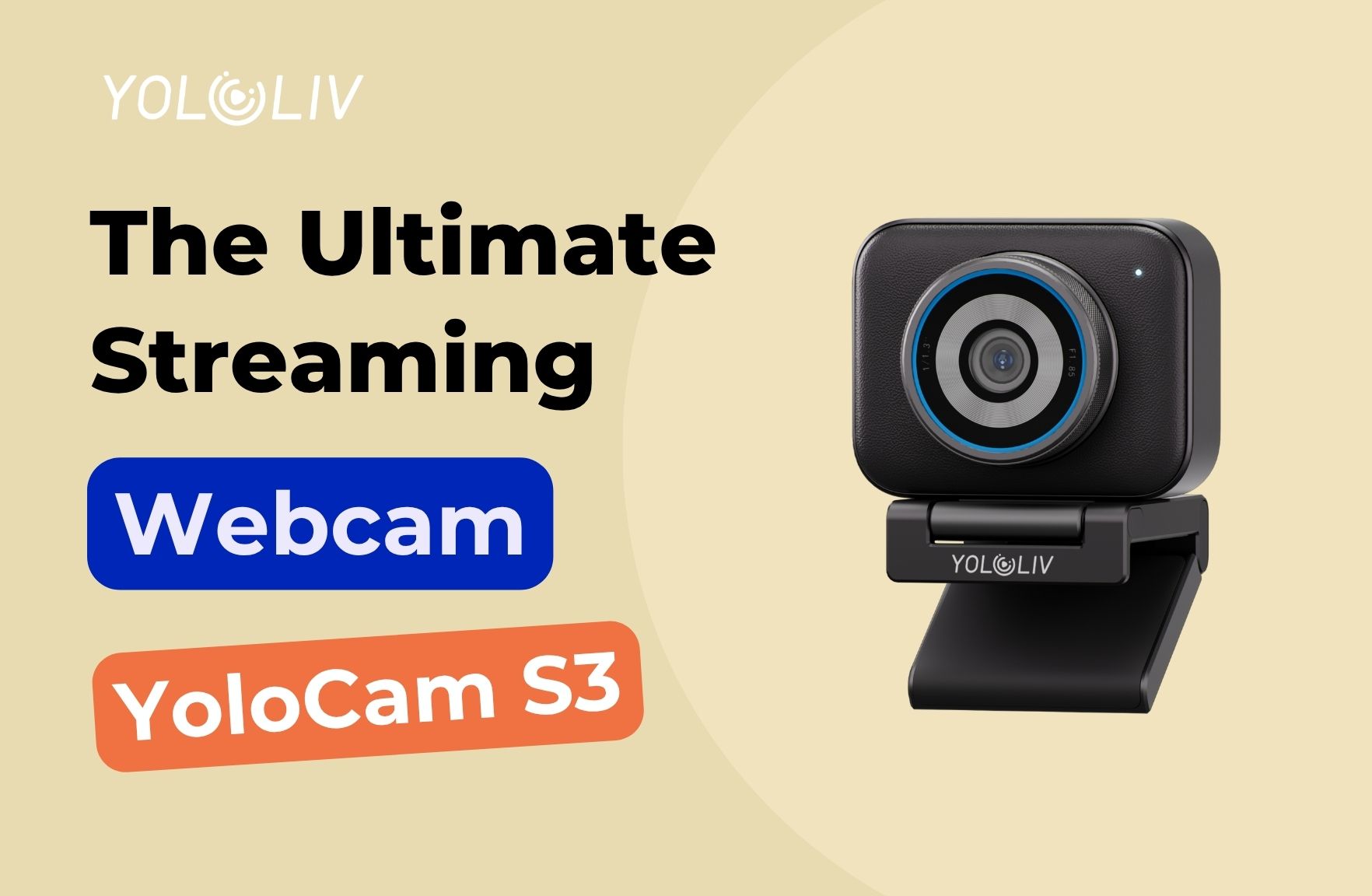
If you’ve ever spent an evening tweaking OBS settings, repositioning your ring light, and lowering your bitrate — only to still look like you’re streaming from a potato — you already know the problem isn’t your settings. It’s your webcam.
The YoloLiv YoloCam S3 has been one of the most talked-about webcams in streaming and content creation communities heading into 2025 and 2026. With a 1/1.3-inch sensor (one of the largest ever put in a webcam), phase-detection autofocus (PDAF), and a $199 price tag, it’s making some serious promises.
But does it actually deliver? We dug through real user experiences from r/streaming, r/obs, r/Twitch, and r/ContentCreators — plus hands-on professional reviews — to give you the full picture.
The short answer: yes. But read on for the details.
Design and Build Quality
The YoloCam S3 stands out immediately from the moment you take it out of the box. While virtually every other webcam at this price point is made of plastic, the S3 features a full aluminum housing — a detail that matters more than it sounds.
Aluminum doesn’t just feel premium. It acts as a passive heat sink, which means the S3 stays cool during extended streaming sessions without thermal lag, stuttering, or slowdowns. If you run 24/7 streams or marathon podcast recording sessions, this is a genuine advantage.
The magnetic mounting system is another standout. Instead of the usual friction-based clip that wobbles every time you adjust it, the S3 snaps into place magnetically and holds firm. Creators who travel with their gear consistently praise this — it makes repositioning fast and reliable whether you’re at your desk or setting up at an event.
The build quality puts the S3 in a different category from the Elgato Facecam, Logitech MX Brio, and even the Insta360 Link 2 in terms of physical durability.
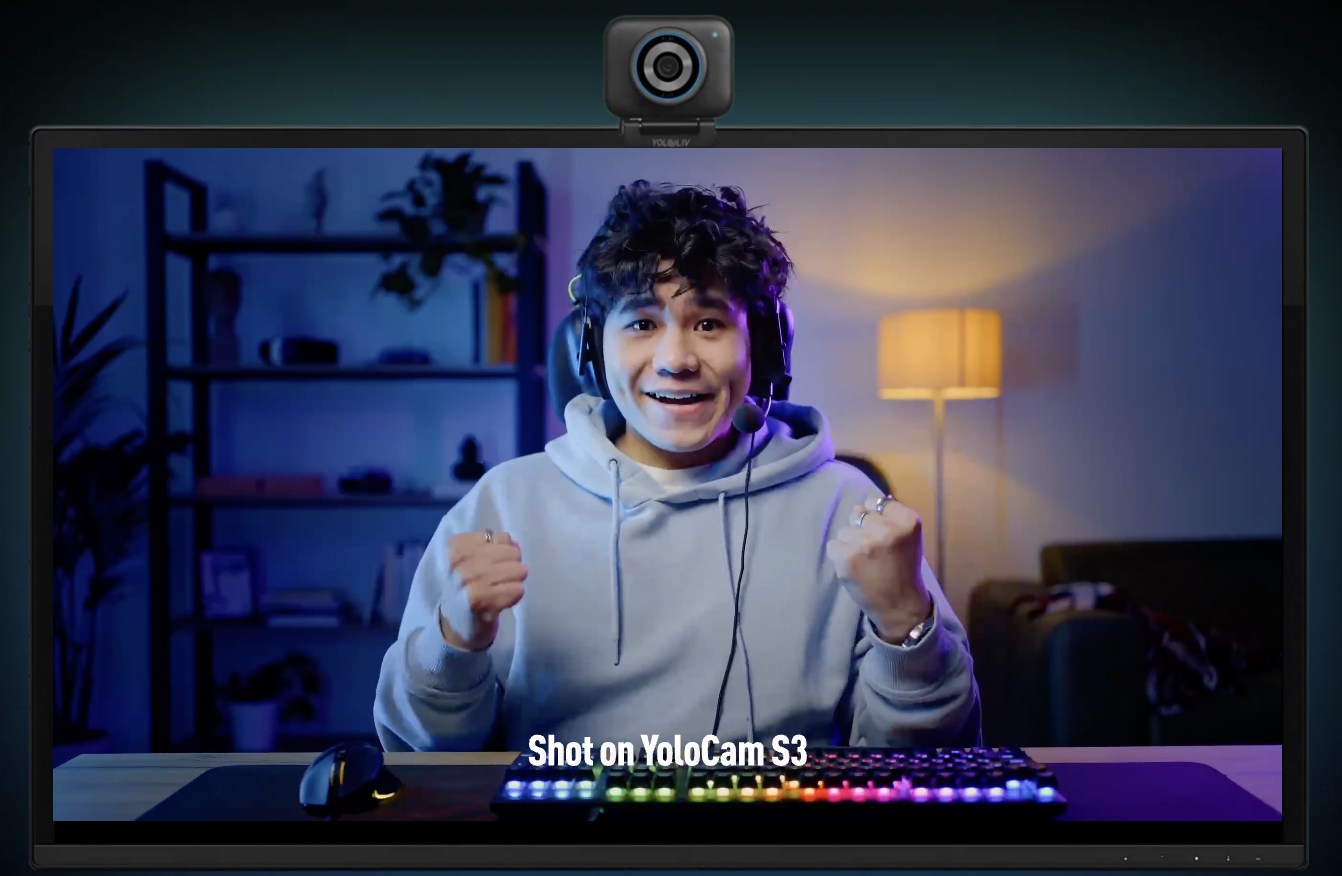
Image Quality: Finally, a Webcam That Looks Like a Camera
This is where the YoloCam S3 earns its reputation.
The 1/1.3-inch sensor is the key differentiator. Most webcams use sensors so small that they have to compensate with heavy sharpening and processing, resulting in the classic “webcam look” — overly crisp edges, plastic-looking skin tones, and backgrounds that look weirdly in-focus. The S3’s larger sensor captures more light and produces more natural depth, better dynamic range, and a genuinely camera-like image.
One content creator who tested multiple webcams around the $200 price point put it well: the S3 is “the one that made me stop thinking about the webcam and just focus on using it.”
Background blur (bokeh) deserves special mention. The S3 produces real, lens-based bokeh from its f/1.85 aperture — not the AI-generated, edge-smearing blur you get from software background blur. The depth-of-field effect is natural and consistent, which makes a significant visual difference in how professional your stream looks.
Color science is another area where the S3 impresses out of the box. Multiple users noted that the default color profile was “nearly how I’d adjust the colors myself” — meaning less time in software, more time actually streaming. The Compose app gives you full manual control over white balance, exposure, ISO, shutter speed, and color grading if you want to go deeper.
Autofocus: The Biggest Upgrade You’ll Notice
If there’s one thing that separates the YoloCam S3 from every other webcam in this price range, it’s the autofocus.
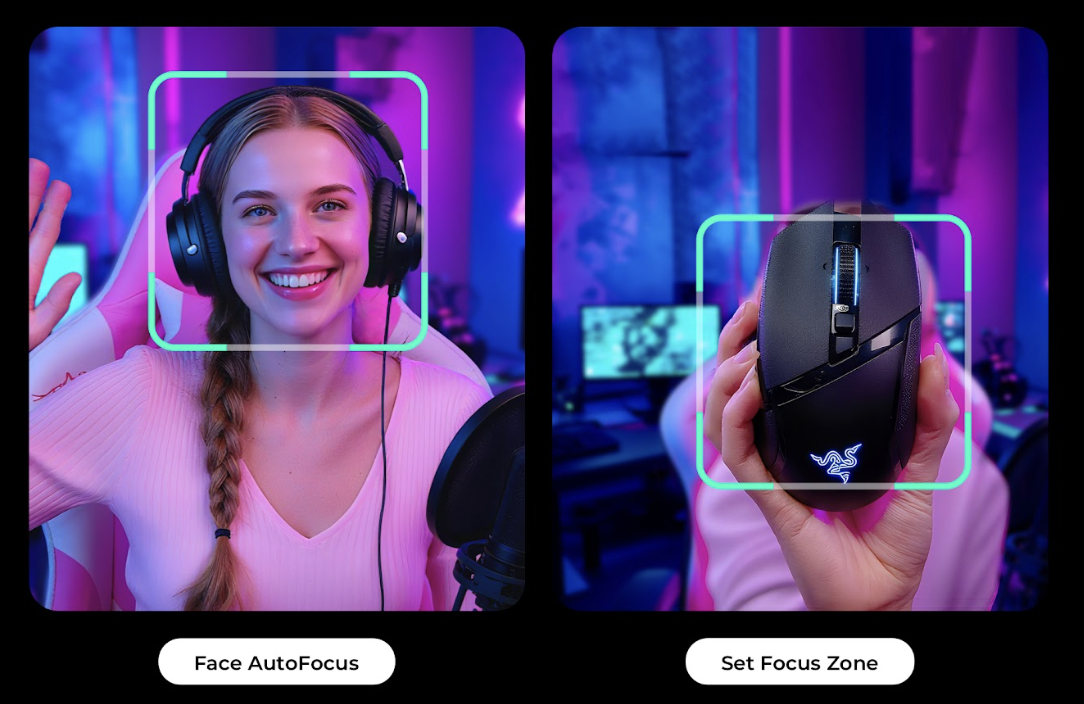
The S3 uses PDAF (Phase Detection Autofocus) — the same technology found in high-end mirrorless cameras. Most webcams rely on contrast-detection autofocus, which hunts for focus by analyzing sharpness in real time, often resulting in that familiar blurring-and-refocusing cycle you see on cheaper cameras.
PDAF works by measuring the phase difference of light hitting the sensor, which means it can predict where to focus before it even starts moving. The result: instant, confident focus that simply doesn’t hunt.
Real streamers using the S3 describe the autofocus as “never once having an issue finding me,” with zero hunting even during movement. For comparison, users who switched from the Razer Kiyo Pro Ultra — itself considered one of the best webcams ever made — consistently say the S3’s autofocus is “not even close” faster.
One reviewer who shoots with a Sony A7 IV as their main camera described the S3’s AF as “incredibly quick, nearly as fast as my main shooter.” That’s a meaningful statement.
The Compose app gives you three autofocus modes: continuous AF (AF-C), single AF (AF-S), and face-priority tracking. Settings are saved directly to the camera, so when you plug the S3 into a different computer, your configuration comes with it.
Low-Light Performance: No More Evening Streaming Problems
The scenario that pushes most people toward upgrading their webcam is exactly the one the S3 handles best: dim, mixed, or imperfect lighting.
Cheap webcams need a lot of light to produce a clean image. When that light disappears in the evening or becomes inconsistent — a window behind you, a lamp on one side — they start producing noise, drift in focus, and shift color balance unpredictably.
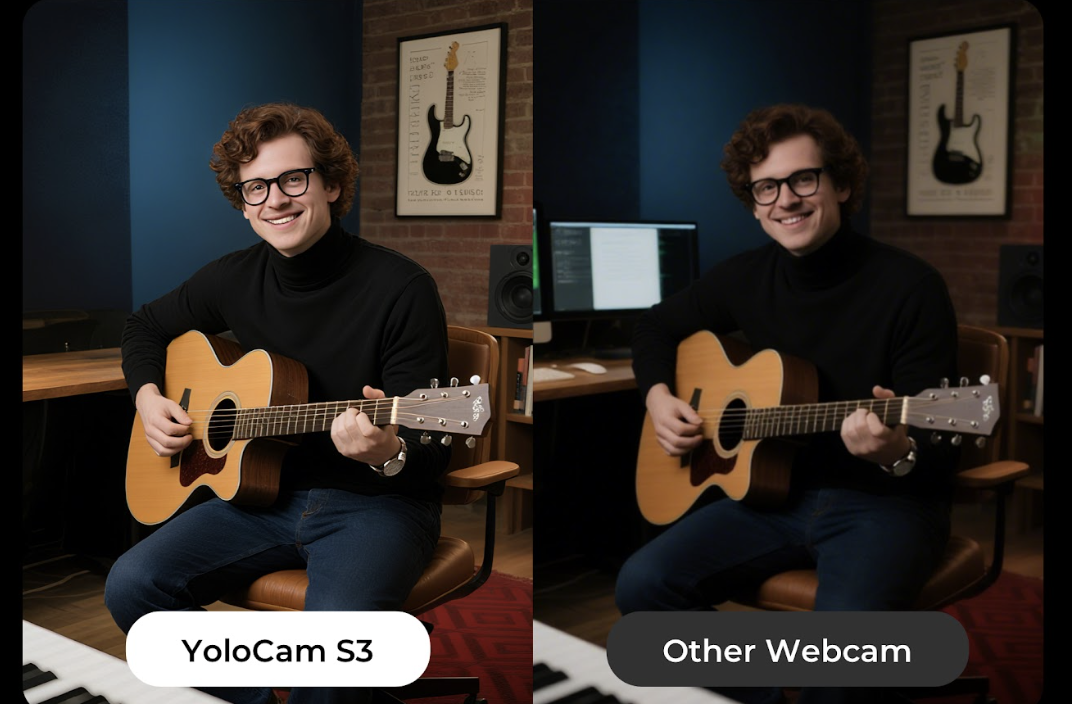
The S3’s large sensor and wide f/1.85 aperture collect significantly more light than a typical 1/4″ or 1/3″ sensor, which translates directly to cleaner low-light images without over-brightening or digital noise. Users describe indoor evening streaming as looking “as if the scene is lit” — no noise, no color drift, just a clean image.
For streamers who dealt with the classic “looks fine during the day, terrible at night” problem, the S3 is a direct solution.
YoloLiv Compose Software
The Compose app is required to unlock the S3’s full feature set, and that’s worth being upfront about — you can’t adjust shutter speed, ISO, or certain color settings without it running in the background.
That said, the Compose app is widely considered the best webcam software on the market, which sets the bar meaningfully above competitors like:
- Logitech G Hub / Logi Options+ — Notorious on Mac, had a security certificate expiry issue that bricked thousands of users’ settings recently
- Razer Synapse — Bloated, resets manual settings unprompted, poor Mac support
- OBSBOT Center — Functional but known to drain laptop batteries heavily
YoloLiv recently removed the login requirement from Compose, which addressed one of the early criticisms. The app gives you DSLR-style control: manual ISO, shutter speed, white balance, focus zones, zoom level, and color presets. Everything saves to the camera itself, not just the app.
The software dependency is the one area where the S3 isn’t plug-and-play. For most streamers, this is a minor tradeoff for the level of control it offers. For users who want zero software, look elsewhere.
Streaming Performance with OBS
The S3 works reliably with OBS and most major streaming software. At 4K/30fps and 1080p/60fps through USB-C 3.0, it delivers uncompressed video to your capture pipeline.
One thing worth knowing: at 60fps, the S3 crops the image slightly. This has been confirmed by multiple users. For most streaming setups this is a non-issue — you can position the camera slightly further back to compensate. The exception is platforms like Discord that force 60fps automatically; a few users have simply moved their camera back and accepted the slight crop rather than dropping to 30fps.
OBS freeze issues at 4K have been reported by a small number of users, though these appear isolated and often resolve with a restart or firmware update. The 60fps firmware bug that existed at launch has since been patched.
YoloCam S3 Pros and Cons
Pros
- Best-in-class autofocus at this price point — PDAF that doesn’t hunt
- Large 1/1.3″ sensor delivers genuinely camera-like image quality
- Real lens bokeh, not software blur
- Excellent low-light performance
- Aluminum build with magnetic mount — durable and travel-friendlyy
- Settings save to the camera itself
- Compose software is the most capable webcam app available
- Competitive at $199 versus more expensive alternatives
Cons
- No privacy shutter or included lens cover
- Software dependency for full manual control
- Slight image crop at 60fps
- 84° FOV is on the narrower side
- Default color contrast may need slight tweaking for some setups
Who Should Buy the YoloCam S3?
Buy the S3 if you are:
- A streamer tired of poor low-light performance and hunting autofocus
- A podcaster, YouTuber, or educator who records talking-head content
- Someone upgrading from a Logitech C920, C922, or older Brio
- A remote worker who wants significantly better video quality on Zoom or Teams
- A content creator who wants camera-quality depth and color without a full camera rig
Look elsewhere if you:
- Need a physical privacy shutter
- Want fully software-free plug-and-play operation
- Stream in situations where you move around the room a lot (consider Insta360 Link 2’s gimbal tracking)
- Are on an extremely tight budget (the Logitech C920 is still a solid $70 option)
Frequently Asked Questions
Is the YoloCam S3 worth it at $199?
For streamers and content creators who care about image quality, autofocus reliability, and low-light performance, yes — the S3 delivers results that previously required spending $300+ or switching to a mirrorless camera.
Does the YoloCam S3 work with OBS?
Yes. The S3 is fully compatible with OBS Studio. Some users have reported rare freeze issues at 4K that resolve with a restart. 1080p/60fps operation is smooth and reliable after the initial firmware update.
Does the YoloCam S3 need software to work?
The S3 will function as a basic webcam without the Compose app, but you’ll need the app running to access manual controls like shutter speed, ISO, color profiles, and autofocus modes. The app is free and no longer requires a login.
What is the field of view on the YoloCam S3?
84 degrees. This is slightly narrower than some competitors. If you need a very wide shot, you may need to position the camera further from your subject.
Does the YoloCam S3 have a privacy shutter?
No. There is no built-in or included privacy cover. This has been the most commonly cited downside in user reviews. You’ll need to source a third-party lens cover if this is a concern.
How does the YoloCam S3 compare to the Razer Kiyo Pro Ultra?
Image quality is comparable, with both cameras delivering results that exceed typical webcam quality. The S3’s autofocus is consistently described as significantly faster. The Kiyo Pro Ultra has a marginally larger sensor (1/1.2″) but has been discontinued. At $199, the S3 offers better value for new buyers.
Verdict
The YoloCam S3 is the best webcam most streamers and content creators can buy in 2025.
Its combination of a large sensor, PDAF autofocus, excellent low-light performance, and durable aluminum construction puts it in a league above the plastic webcams that dominated this price range for years. The autofocus alone — faster than the Razer Kiyo Pro Ultra that preceded it as the top recommendation — makes it worth the upgrade for anyone dealing with a camera that hunts and drifts.
The lack of a privacy shutter and the software dependency are real limitations, and you should factor both in. But for the vast majority of streamers, podcasters, and remote workers who want the best image quality available without buying a mirrorless camera, the S3 is the clear answer.
71 total views, 71 views today

Meredith, the Marketing Manager at YoloLiv. After getting her bachelor’s degree, she explores her whole passion for YoloBox and Pro. Also, she contributed blog posts on how to enhance live streaming experiences, how to get started with live streaming, and many more.
