
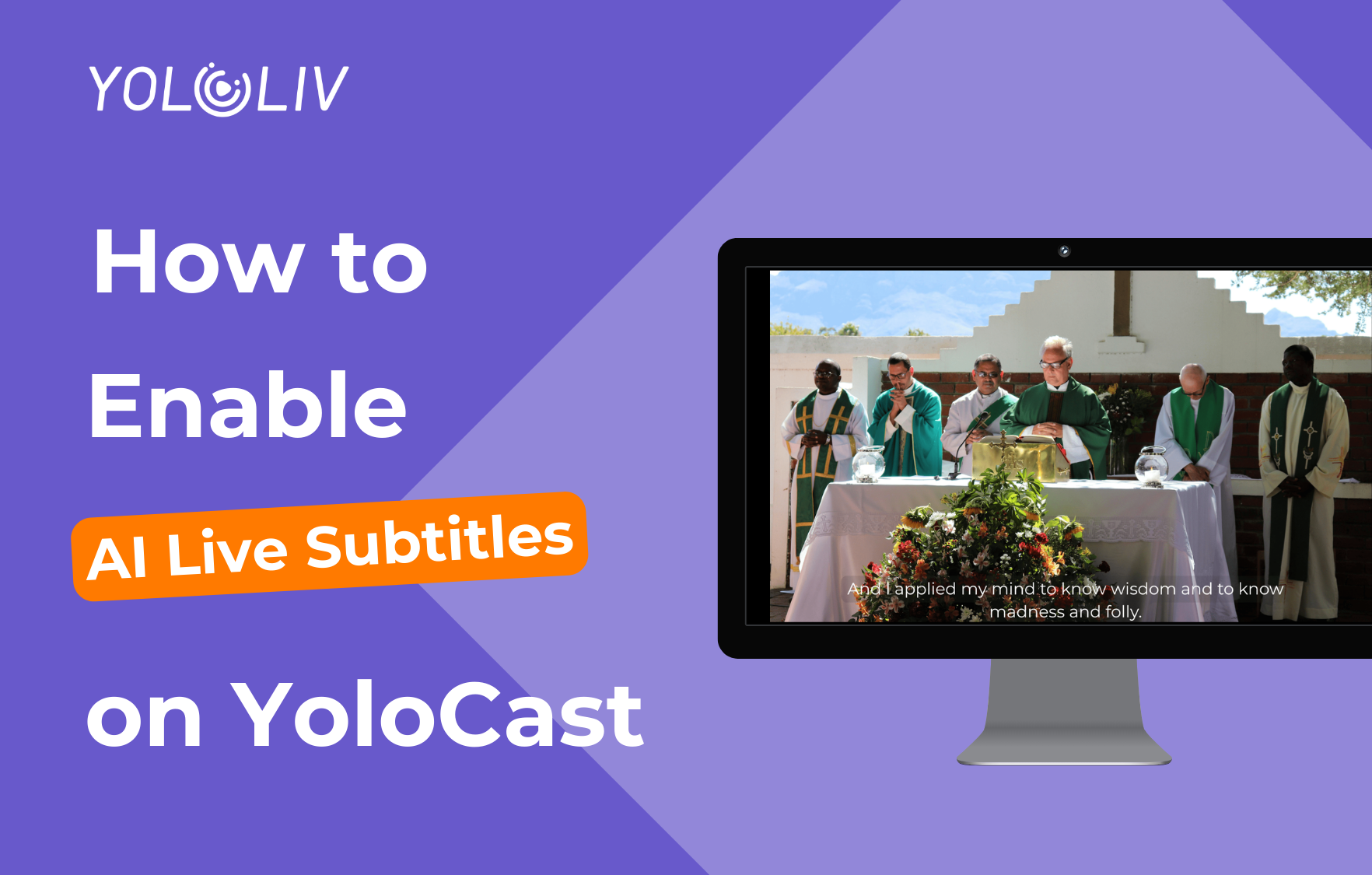
AI Live Subtitles are available exclusively on the YoloCast Business plan.
AI Live Subtitles are now available on YoloCast Business — including YoloCast events created directly on YoloBox.
With this feature, spoken audio in your live stream is converted into on-screen subtitles in real time, fully integrated into the YoloCast workflow. No third-party tools are required.
This guide explains how to enable AI Live Subtitles, what plans are supported, and how subtitles work for both live streams and replays.
Before You Start
Please make sure:
- You are using the YoloCast Business plan
- Your live stream resolution is set to 1080P
- The live event is created via YoloCast (Web or YoloBox)
⚠️ Important:
AI Live Subtitles currently work only at 1080P resolution.
Here are Step-by-Step Guide:
Step 1: Create a New Live Event
Go to Live Events in your YoloCast dashboard and create a new Upcoming Event.
This applies to:
- Events created on the YoloCast web dashboard
- Events created directly on YoloBox using YoloCast Event
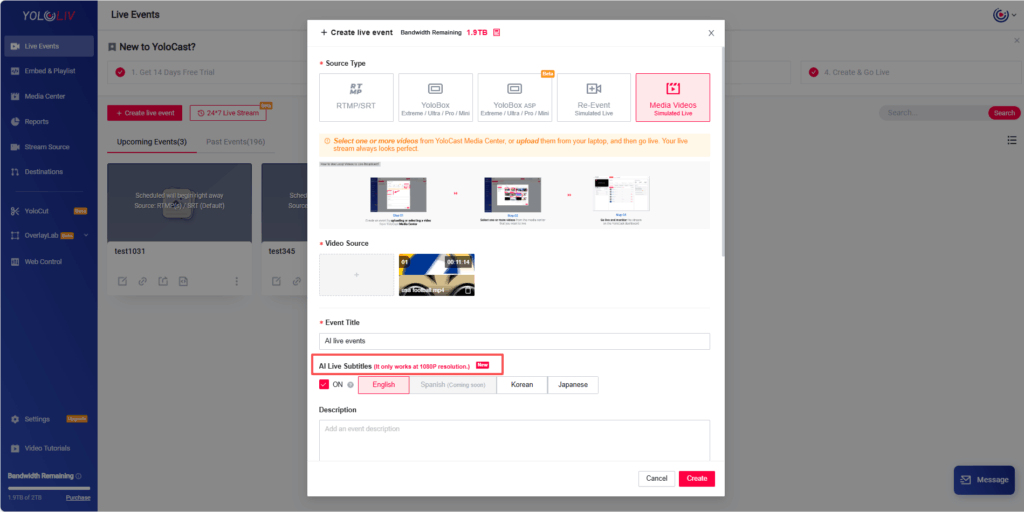
Step 2: Enable AI Live Subtitles
Inside the event settings, locate AI Live Subtitles.
- Turn AI Live Subtitles ON
- Select the language you want subtitles to display in
⚠️ Language Requirement:
The spoken language in your live stream must match the language selected here.
If they do not match, subtitles may not appear or may be inaccurate.
Currently supported languages:
- English
- Japanese
- Korean
- Spanish (coming now)
- More languages will be added continuously.
Step 3: Start Your Live Stream
Once the event is created and AI Live Subtitles are enabled, start your live stream as usual.
During the live broadcast, AI subtitles will appear automatically in the live player, including streams simulcast to multiple platforms.
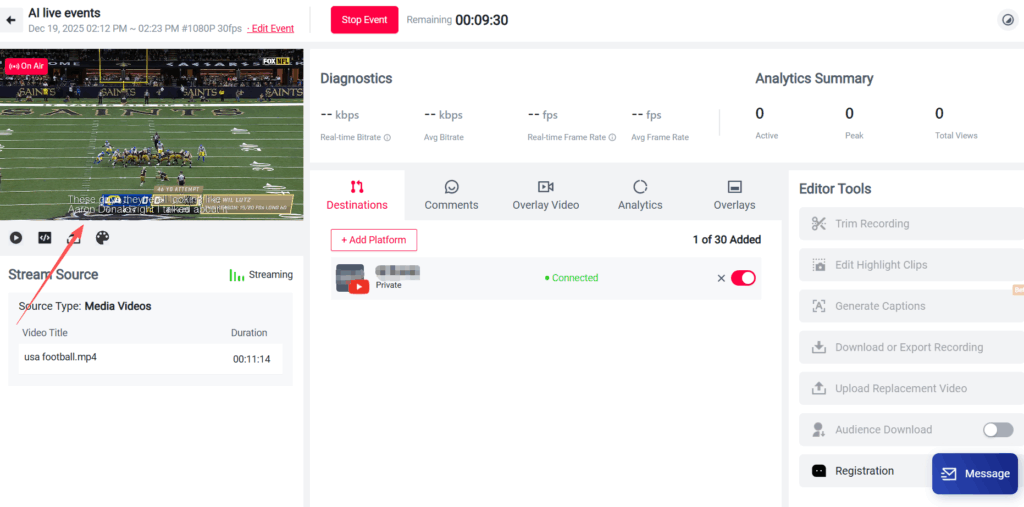
No additional configuration is required.
Who Can Use AI Live Subtitles?
AI Live Subtitles are available exclusively for YoloCast Business plan users.
This includes:
- Live events created on the YoloCast web dashboard
- Live events created on YoloBox using YoloCast Event
If you do not see the AI Live Subtitles option, please check your current subscription plan.
AI Live Subtitles for Replays (Important Notes)
AI Live Subtitles also support replay content, with the following conditions.
Supported Replay Sources
Replay subtitle generation currently supports live streams from:
- RTMP / SRT sources
- YoloBox
- YoloBox ASP
How Replay Subtitles Work
- Subtitle generation for replays requires processing time
- Once generation is complete, subtitles must be published manually
- Subtitles will appear in the replay player only after publishing
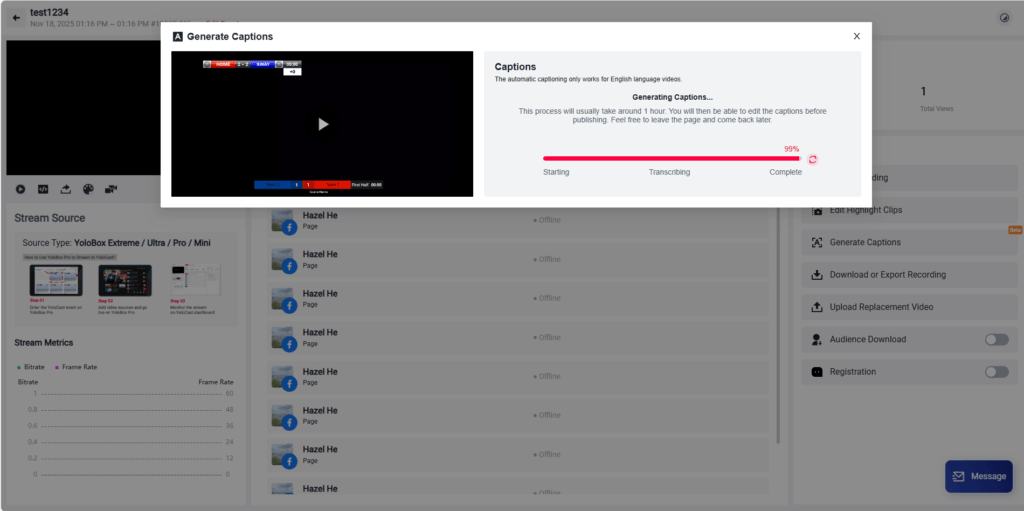
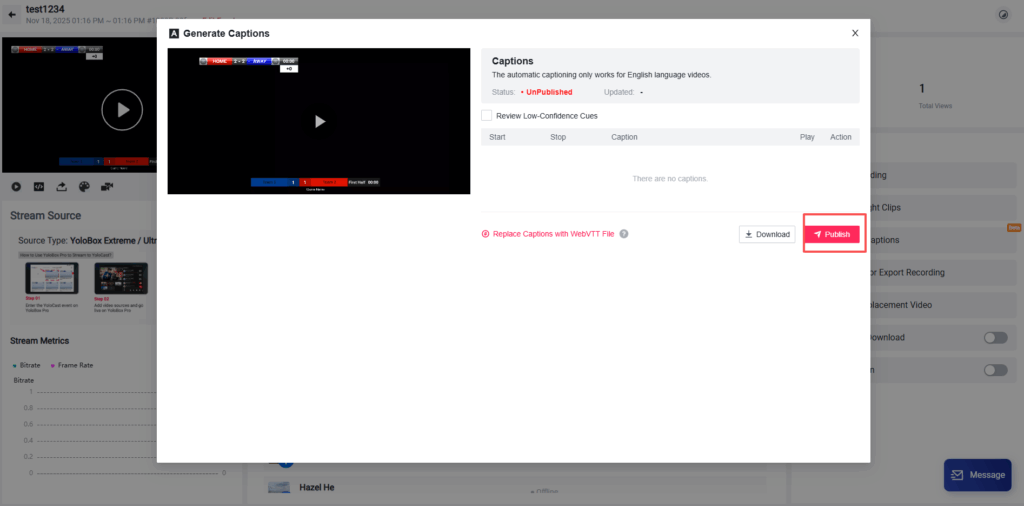
⚠️ Please note:
Subtitles will not appear in replays immediately after the live stream ends.
Uploading Your Own Subtitles (Optional)
You can also upload your own subtitle files if needed:
- Supported format: WEBVTT (.vtt)
- You can use uploaded subtitles to:
- Replace AI-generated subtitles
- Apply custom translations
- Make manual corrections
This option is recommended if you need full control over subtitle content.
Summary
With AI Live Subtitles on YoloCast Business, you can:
- Generate subtitles in real time during live streams
- Use subtitles with YoloCast events created on web or YoloBox
- Deliver subtitles across multi-platform simulcast streams
- Add subtitles to supported replays after processing
- Improve accessibility and viewer engagement
Upgrade to Unlock AI Live Subtitles
AI Live Subtitles are available only on the YoloCast Business plan.
👉 Upgrade to Business to enable real-time AI subtitles for both cloud and hardware-based live workflows.
8,072 total views, 3 views today

Betty,As a Customer Success Specialist at YoloLiv, she is passionate about helping users understand YoloCast’s features and resolve day-to-day usage challenges. In addition to hands-on support, she creates practical articles that share tips, troubleshooting guidance, and best practices to help users get more value from YoloCast.
