
YoloCast vs Dacast in one sentence: YoloCast is a flexible cloud streaming platform for creators, churches, and event teams (works with OBS, vMix, and YoloBox), while Dacast is an enterprise broadcasting platform built for media companies that need pay-per-view monetization and full white-label control. Both accept any RTMP encoder. Both include multistreaming, VOD, and scheduled streaming. The right choice depends entirely on whether you need monetization tools or a simpler, lower-cost all-in-one workflow.
| YoloCast | Dacast | |
|---|---|---|
| Best for | Creators, churches, event teams | Broadcasters, OTT platforms |
| Starting price | From $29/month | From $39/month |
| Works with OBS/vMix | Yes | Yes |
| Multistreaming | Yes, built-in | Yes, add-on |
| White-label player | Yes (remove branding) | Full white-label |
What Is YoloCast?
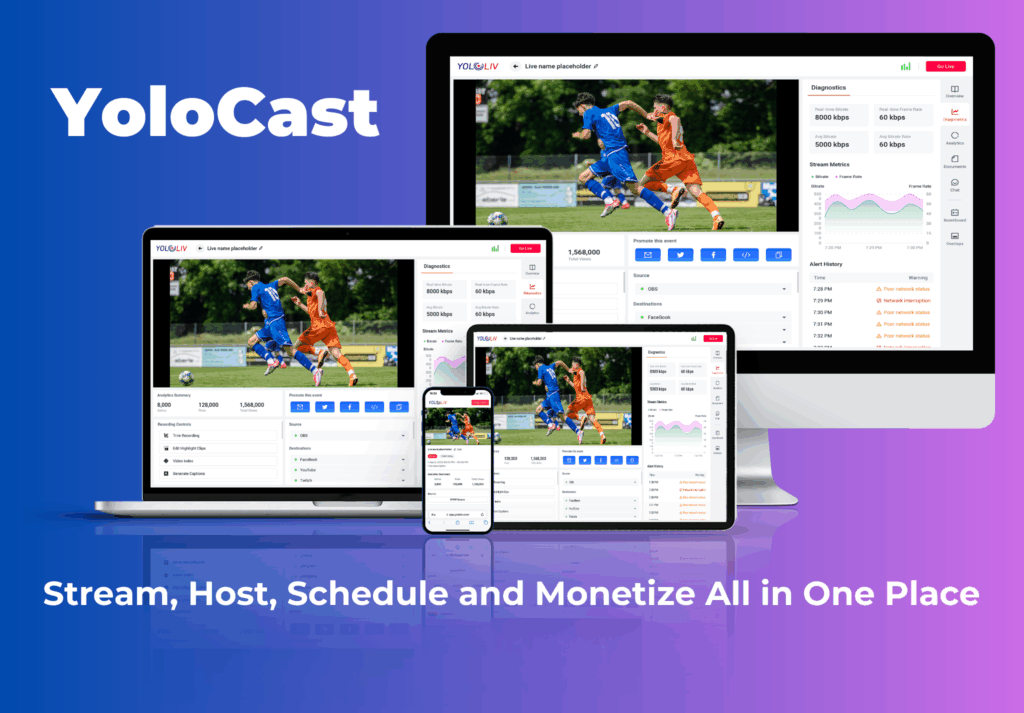
YoloCast is YoloLiv’s cloud-based live streaming and video hosting platform. It works as a fully standalone streaming service: connect any RTMP encoder including OBS, vMix, Wirecast, or YoloBox hardware, and you can multistream, schedule events, host video on demand, and deliver live content to your audience from one dashboard.
YoloCast supports multiple input methods. You can push an RTMP stream from OBS on a laptop, pull in a source via YoloBox hardware, or use vMix for complex multi-camera productions. The platform handles everything on the delivery side: CDN distribution, stream recording, embedding on your website, and audience management. Users who also own YoloBox Extreme or YoloBox Ultra get additional native integration benefits, but YoloBox hardware is not required to use YoloCast.
Who Uses YoloCast?
- Churches and houses of worship streaming weekly services via OBS or YoloBox
- Corporate teams running town halls, webinars, and virtual events with vMix or OBS
- Content creators who want to multistream to YouTube, Facebook, Twitch, and custom RTMP destinations
- Event producers who need private, password-protected or pay-walled streams
- Sports organizations that want 24/7 always-on channels without a dedicated PC running software
What Is Dacast?
Dacast is a professional live streaming and video hosting platform founded in 2008 and headquartered in San Francisco. It is well-known among broadcasters for its fully white-label video player, built-in pay-per-view and subscription monetization, and high-throughput CDN delivery for large concurrent audiences.
Like YoloCast, Dacast accepts any RTMP or SRT-compatible encoder: OBS, vMix, Wirecast, hardware encoders, and more. It is a software-only platform. You supply the encoder and the internet connection; Dacast handles the delivery, security, and monetization layer.
Who Uses Dacast?
- Broadcasters and media companies who need a fully branded, white-label streaming experience
- OTT platform builders who want pay-per-view or subscription revenue models
- Enterprises with high-volume streaming needs and large viewer numbers
- Organizations that need dedicated API access for custom integrations
YoloCast vs Dacast: Feature Comparison
Here is a side-by-side comparison of the core features that matter most for live event producers:
| Feature | YoloCast | Dacast |
|---|---|---|
| Starting price | From $29/month | From $39/month |
| Encoder compatibility | OBS, vMix, Wirecast, YoloBox + any RTMP | Any RTMP/SRT encoder |
| Multistreaming | Yes, built-in to all plans | Yes, via restream add-on |
| Private/password streams | Yes | Yes |
| Embeddable player | Yes | Yes |
| White-label player | Yes (remove YoloCast branding) | Full white-label |
| Video on demand (VOD) | Yes | Yes |
| Scheduled streaming | Yes, built-in scheduler | Yes |
| 24/7 always-on channels | Yes, cloud-based | Yes |
| YoloBox native integration | Yes (optional bonus) | No |
| Best for | Churches, events, creators, OBS/vMix users | Broadcasters, OTT platforms, media cos |
YoloCast vs Dacast: Pricing
Pricing is often the deciding factor. Here is how each platform compares at entry level and mid-tier:
YoloCast Pricing
YoloCast offers four plans. The Starter plan covers basic multistreaming and VOD. The Professional and Business plans add higher stream quality, viewer analytics, and monetization-ready features. The Exclusive plan at $39/month is a popular choice for churches and small event teams that need reliable, unlimited-feel streaming without enterprise pricing.
Visit the YoloCast pricing page to see all current plan details and bandwidth limits.
Dacast Pricing
Dacast’s Starter plan begins at $39/month and includes 1.2 TB of bandwidth and 50 GB of storage. Higher tiers (Scale at $188/month and higher) add more bandwidth, more storage, and advanced features like paywall monetization. Pay-per-view and subscription tools are available on Scale plans and above.
For organizations that do not need monetization tools and are primarily streaming to a regular audience (not selling access), Dacast’s mid-tier pricing can feel steep compared to YoloCast.
YoloCast vs Dacast: Ease of Use
YoloCast wins on setup speed, especially for YoloBox users. Once you connect your YoloBox encoder to YoloCast, the streaming destination is configured in seconds from the encoder’s touchscreen. No separate laptop, no OBS profile, no encoder RTMP string copy-paste. This matters most for single-operator productions like church services or small events where one person manages everything.
Dacast requires you to set up your own encoder, configure RTMP credentials manually, and manage the delivery side separately. This is fine for experienced broadcasters but adds setup steps for smaller teams. Dacast’s dashboard is professional-grade but has a steeper learning curve than YoloCast’s streamlined interface.
For technical producers managing complex event setups, both platforms are manageable. For a church AV volunteer running a Sunday service, YoloCast is significantly easier to operate.
YoloCast vs Dacast: Encoder Setup with OBS and vMix
Because both YoloCast and Dacast are RTMP-based cloud platforms, setting them up with popular encoders like OBS or vMix follows the same basic process. You copy the RTMP server URL and stream key from your platform dashboard, paste them into your encoder’s streaming settings, and go live. The platform handles everything downstream: CDN delivery, recording, and distribution to your audience.
YoloCast with OBS
In OBS, go to Settings, then Stream. Select “Custom” as the service, enter the YoloCast RTMP URL and stream key from your YoloCast dashboard, and click Start Streaming. OBS users get access to all YoloCast features: multistreaming, scheduled events, VOD recording, and the embeddable player. No YoloBox hardware is needed.
YoloCast with vMix
vMix users can connect to YoloCast using the Custom RTMP output. Enter the YoloCast RTMP destination URL and stream key in vMix’s streaming settings. vMix’s multi-camera switching, replay, and graphics work seamlessly with YoloCast’s cloud delivery. This is a popular setup for church streaming teams and corporate event producers using vMix.
Reliability: YoloCast vs Dacast
Both platforms use global CDN networks for reliable stream delivery to viewers. Input reliability depends on your encoder and internet connection, which is the same for both platforms. Users who pair YoloCast with a YoloBox encoder can benefit from network bonding, which combines 4G, 5G, Wi-Fi, and Ethernet into one resilient connection. This is a YoloBox hardware feature and is not exclusive to YoloCast, but it does make the YoloCast plus YoloBox combination particularly resilient for field events.
YoloCast vs Dacast: Scheduled and 24/7 Streaming
Both platforms support scheduled streaming, but the implementation differs. YoloCast includes a built-in live event scheduler that lets you set start times, create event pages, and automatically start your stream at the scheduled time. This is particularly useful for recurring events like church services, weekly webinars, or regular sports broadcasts.
According to Streaming Media’s live event best practices, one of the most common mistakes in live production is failing to automate scheduled streams, which leads to missed events or human error. YoloCast’s scheduler removes that risk.
Dacast also supports scheduling but it typically requires more manual configuration steps. Both platforms support 24/7 streaming loops for always-on channels, though YoloCast’s cloud-based approach means the stream stays live even without a dedicated PC running encoding software around the clock.
YoloCast vs Dacast: Protocol Support
Protocol compatibility is important when choosing between YoloCast vs Dacast. Both platforms accept RTMP input, which is the industry standard for live streaming ingestion. YoloCast also supports SRT (Secure Reliable Transport) for low-latency, error-resilient streaming from YoloBox encoders. SRT is increasingly recommended for professional live production because it maintains quality over unstable networks.
The SRT protocol, originally developed by Haivision, is now an open-source standard used by major broadcasters worldwide. SRT recovers from packet loss and maintains quality over unstable connections, which makes it ideal for live event streaming from venues with unpredictable Wi-Fi or 4G connections.
Dacast also supports SRT ingest on higher plans. Both platforms deliver to viewers via HLS, which is compatible with all modern browsers, smart TVs, and mobile devices. According to Wowza’s protocol guide, HLS remains the most universally supported delivery format for live streaming, which is why both platforms use it for viewer-side delivery regardless of which ingest protocol you use.
How to Get Started with YoloCast
Getting started with YoloCast takes about five minutes regardless of whether you use OBS, vMix, or a YoloBox encoder:
- Create a YoloCast account and choose a plan at yololiv.com/compare-plans
- Open your encoder (OBS, vMix, Wirecast, or YoloBox) and go to streaming settings
- Select “Custom RTMP” and paste in the YoloCast RTMP URL and stream key from your dashboard
- Add multistreaming destinations: YouTube, Facebook, Twitch, or your custom RTMP endpoint
- Set up your event schedule for recurring shows, or go live manually from the dashboard
- Monitor stream health, viewer count, and VOD recordings from the YoloCast dashboard
Because YoloCast is encoder-agnostic, your existing OBS scenes, vMix setups, and Wirecast templates all work without modification. You simply redirect the output from social media RTMP to your YoloCast RTMP endpoint. This flexibility is a key advantage over platforms that require proprietary hardware or software.
For teams using YoloBox hardware alongside YoloCast, the integration is even tighter: see our guide to 8-channel broadcast encoding for multi-camera live production for how YoloBox fits into complex event setups.
YoloCast vs Dacast: Which Is Right for You?
Choose YoloCast If:
- You stream with OBS, vMix, or Wirecast and want a cloud platform that just works
- You run recurring events: church services, sports broadcasts, weekly webinars
- You want multistreaming to YouTube, Facebook, Twitch, and your own website in one step
- You need a white-label player without investing in enterprise pricing
- You want a built-in event scheduler without stitching together third-party tools
- Budget matters: YoloCast’s $29/month entry price covers most real-world use cases
- You may want to upgrade to dedicated hardware later, without migrating your platform
Churches and houses of worship are one of YoloCast’s strongest use cases. A volunteer AV team can start with OBS on a laptop, move to a YoloBox when the congregation grows, and never change their YoloCast setup. The platform scales with the team.
Choose Dacast If:
- You need a 100% branded video experience: your domain, your logo, no third-party marks
- You want to sell stream access via pay-per-view or recurring subscriptions
- You are building an OTT platform or a dedicated media streaming business
- You need API access to integrate streaming into a custom web or mobile application
- Your audience is in the tens of thousands and you need enterprise-grade CDN capacity
Dacast is a mature, well-established platform. If your revenue model requires selling access to streams or building a fully branded viewer experience, it offers tools that YoloCast does not currently provide. For all other live streaming use cases, YoloCast is the more affordable and easier-to-operate choice.
YoloCast vs Dacast: The Verdict
For most churches, event teams, and content creators, YoloCast is the better choice. It works with the encoders you already use (OBS, vMix, Wirecast), costs less at entry level, includes multistreaming on every plan, and scales up to YoloBox hardware when you need it. The built-in scheduler, VOD hosting, and embeddable player cover 90% of live streaming use cases without the complexity of an enterprise platform.
For enterprise broadcasters who need white-label delivery and pay-per-view monetization as core features, Dacast is the right tool. It is purpose-built for broadcasters who need to sell access to their streams and build a branded viewing experience.
If you are just starting out, running with OBS or vMix today, and want the option to upgrade to dedicated hardware later, YoloCast is built for exactly that journey. Start with a free trial and scale your setup at your own pace. When you are ready for hardware-level reliability, a YoloBox Extreme slots into your YoloCast account with no migration required.
37 total views, 37 views today

Betty,As a Customer Success Specialist at YoloLiv, she is passionate about helping users understand YoloCast’s features and resolve day-to-day usage challenges. In addition to hands-on support, she creates practical articles that share tips, troubleshooting guidance, and best practices to help users get more value from YoloCast.
