

Welcome to the official YoloCam S3 Version History page.
Here, you can find all past firmware releases, what’s new, improvements, bug fixes, and important notes for each update.
We recommend always upgrading to the latest version for the best stability and feature experience.
How to Update?
Compose App:
- Download from our website: https://www.yololiv.com/compose-app
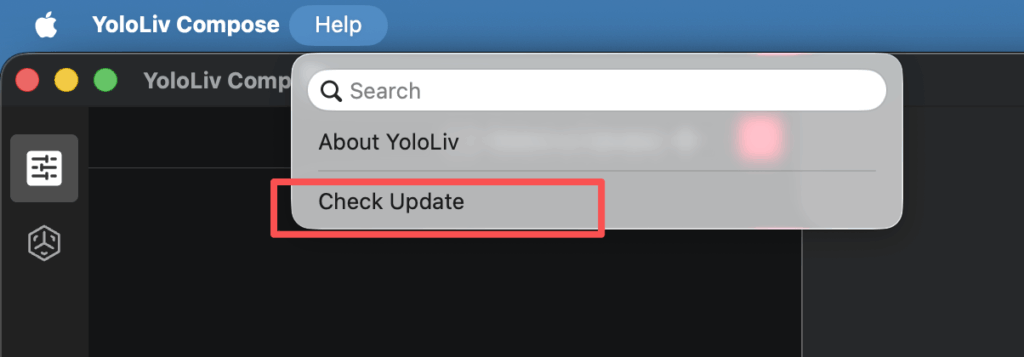
- Or click ‘Help’ in the toolbar and click ‘Check Update’.
Download the Newest Firmware:
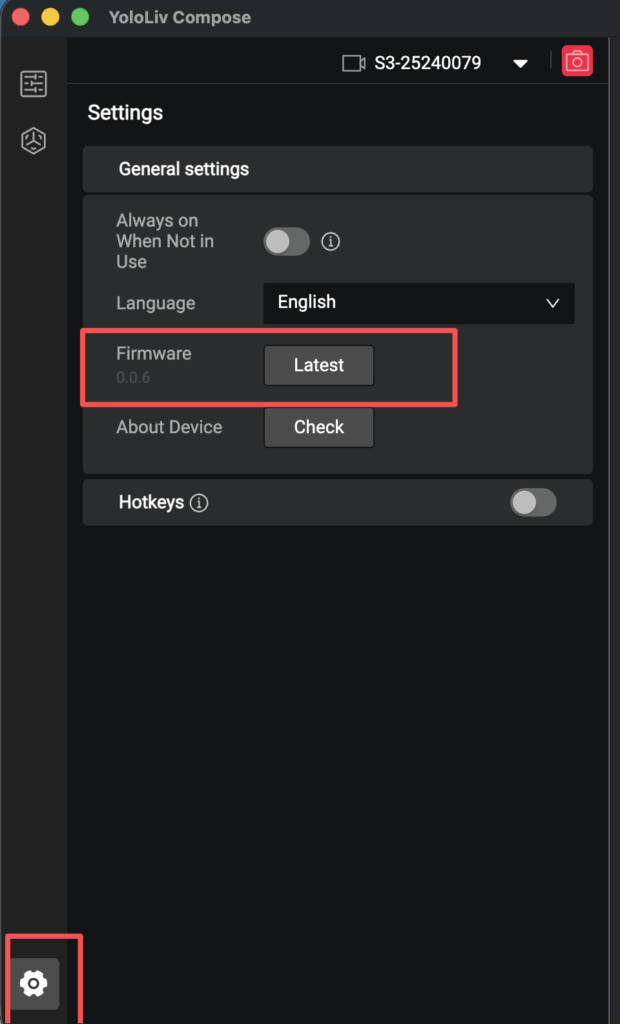
Go to “Settings” in Compose App, Find “Firmware”, Click “Upgrade”
YoloCam S3 v0.0.7 / Compose v1.0.6
- Supports Manual Focus
- Supports adjusting zoom speed
- Supports displaying compose & firmware version
YoloCam S3 v0.0.6 / Compose v1.0.5
- Complete turn-off by default when the camera is not in use.
- Further improved autofocus accuracy in edge case scenarios
- Additional colour style options(Cool Colors, Warm Colors)
- Removal of the login requirement to access some features.
- Define the zoom range as 1.0x to 4.0x
- Shortcut key enhancements: support for combo keys, elevated permissions, and a custom small keyboard
- Added NCM network protocol and network mode switching
- Fixed abnormal connection and communication issues between the App and the camera
- Fixed the issue where color grading adjustments only applied when the mouse hovered
- Fixed AE (auto exposure) jumping issue
YoloCam S3 v0.0.3 / Compose v1.0.2
- Fixed zoom mapping deviation
- Fixed the issue where zoom settings did not take effect
- Improved autofocus clarity
- Added white balance lock
- Fixed reddish image tint issue
Need Help?
If you have questions or issues after upgrading, feel free to reach out:
📩 contact@yololiv.com
We’re committed to improving YoloCam S3 continuously — thank you for being part of the journey!
6,620 total views, 15 views today

Meredith, the Marketing Manager at YoloLiv. After getting her bachelor’s degree, she explores her whole passion for YoloBox and Pro. Also, she contributed blog posts on how to enhance live streaming experiences, how to get started with live streaming, and many more.
