
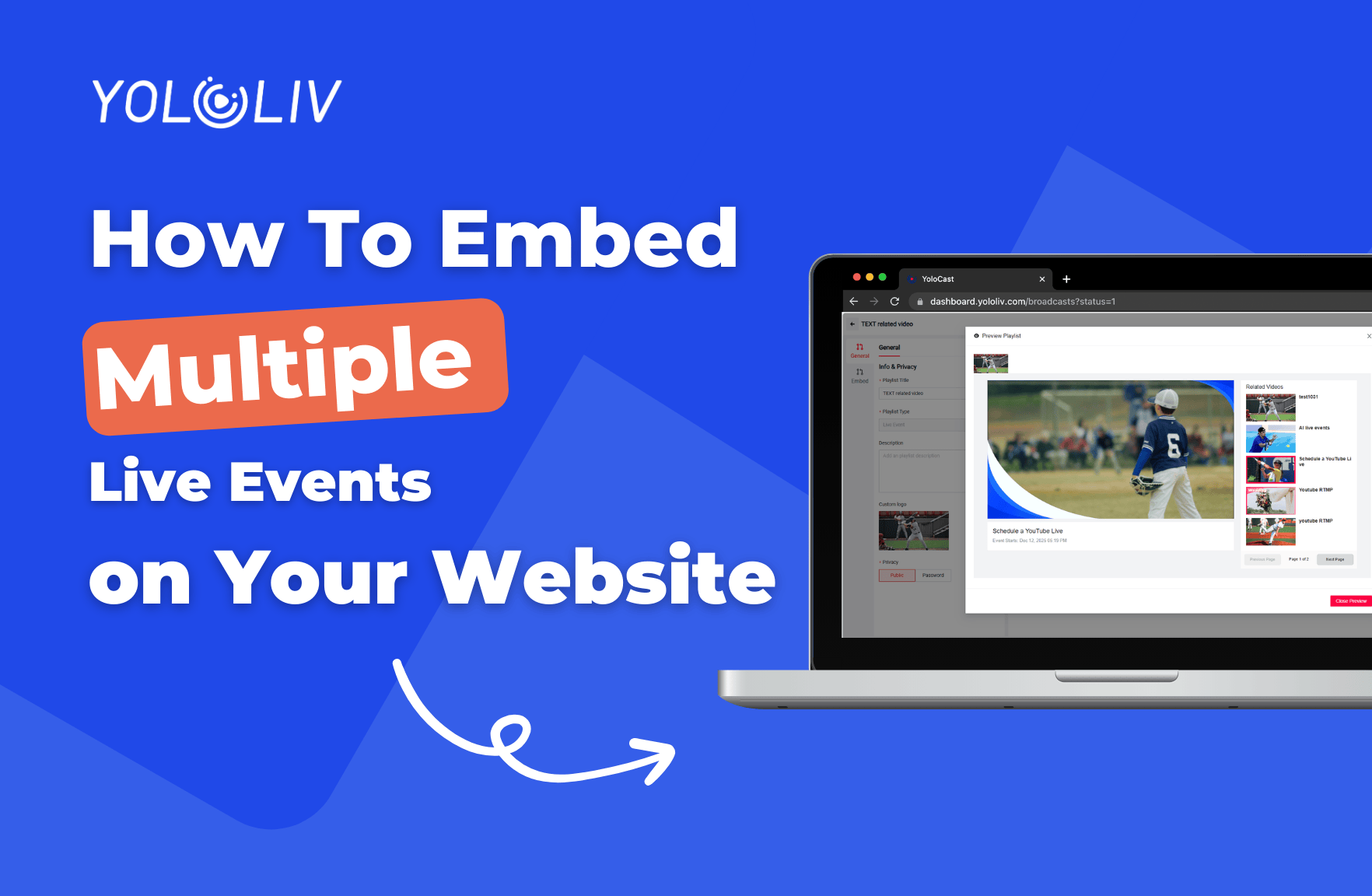
Embedding multiple live events on your website helps viewers discover more content and stay engaged longer.
With YoloCast Playlists, you can easily embed upcoming events and past events on a single page — no coding required.
This guide walks you through the setup step by step.
Open Embed & Playlist in the Dashboard
First, log in to your YoloCast dashboard.
Go to Embed & Playlist using the link below:
https://dashboard.yololiv.com/embed?type=playlist
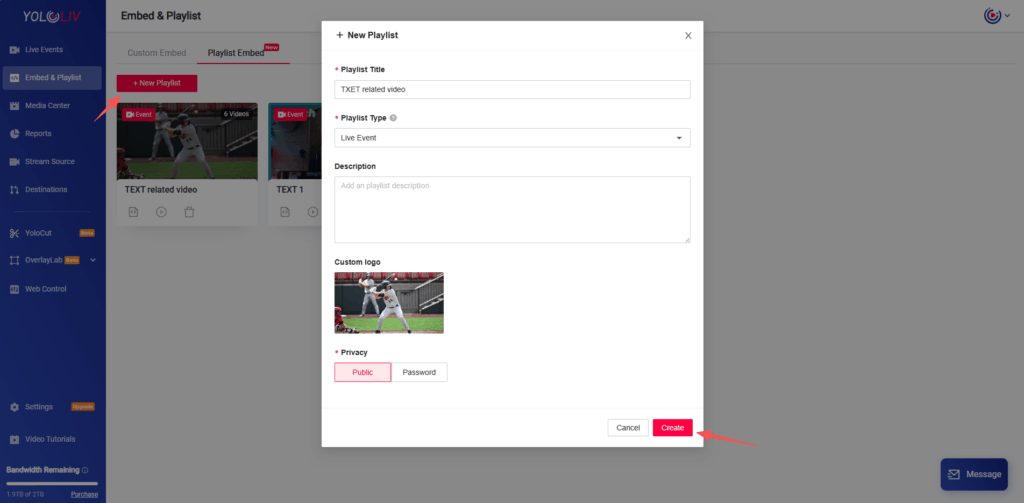
Create a New Playlist
Click Playlist, then select NEW PLAYLIST.
Choose Create a new playlist to get started.
Enter the Playlist and Add Events
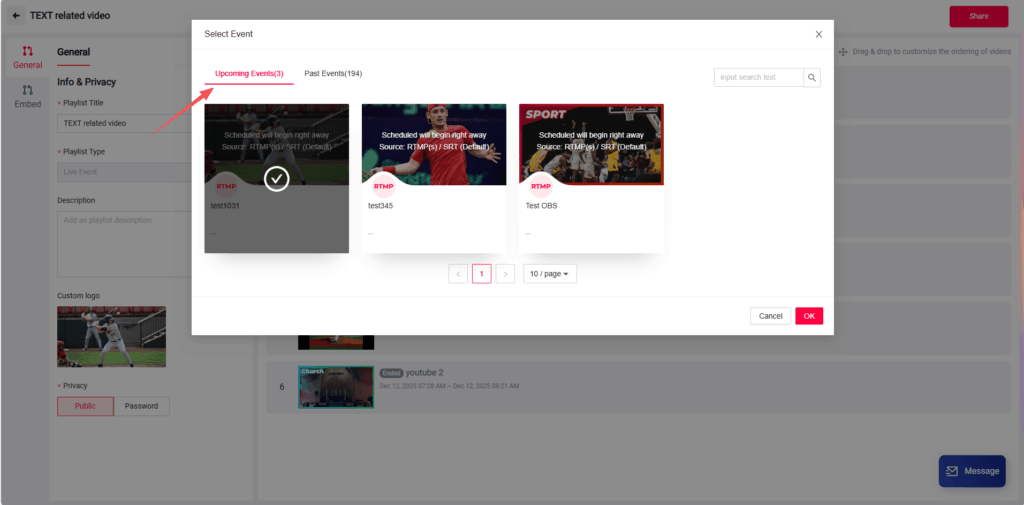
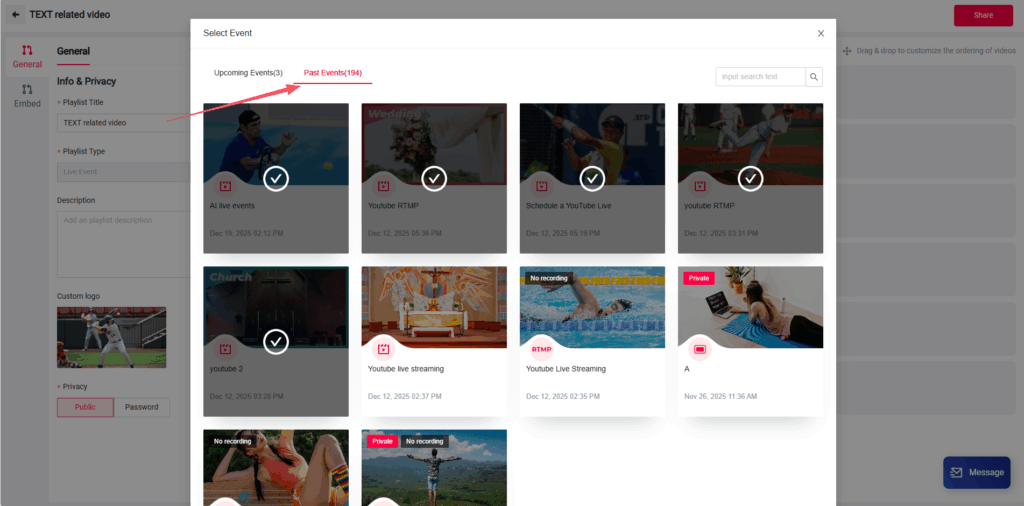
After creating the playlist, click to enter it.
Now click Add Events.
You can select:
- Upcoming Events
- Past Events
Please note:
- Upcoming events and past events must be added separately
- Each section supports up to 30 events
You can freely choose which events to include.
Preview the Playlist
Once your events are added, click Preview to see how the playlist will appear on your website.
This helps you confirm the order and layout before embedding.
Customize the Layout (Optional)
If you want a different layout, scroll down and click Embed.
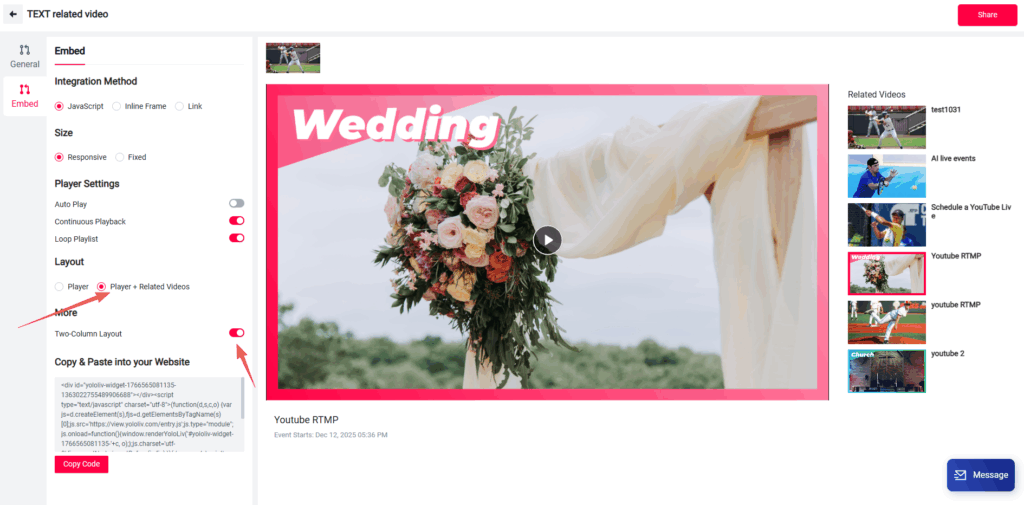
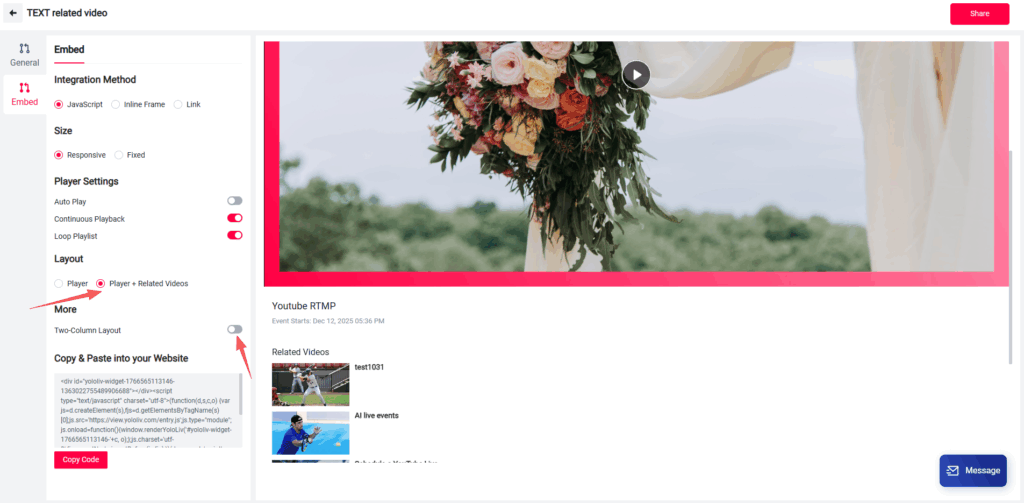
Under Layout, select Player + Related Videos.
This layout allows you to:
- Display your upcoming live event
- Show past videos on the right or below the player
The position depends on whether Two-Column Layout is enabled.
- Two-Column Layout ON → videos appear on the right
- Two-Column Layout OFF → videos appear below the player
Embed the Playlist on Your Website
Copy the embed code and paste it into your website.
Your page will now display:
- One live player
- Multiple upcoming or past events
- A clean, organized viewing experience
Why Use Playlists to Embed Multiple Events?
Using playlists helps you:
- Promote upcoming live streams
- Increase views on past events
- Keep viewers on your site longer
- Manage multiple events in one embed
All updates are handled in the YoloCast dashboard — no need to update your website code each time.
Final Notes
- Each playlist supports up to 30 upcoming events and 30 past events
- Upcoming and past events must be added separately
- Layout settings can be adjusted anytime
If you run regular live streams or events, playlists are the easiest way to manage and embed them on your website.
7,073 total views, 7 views today

Betty,As a Customer Success Specialist at YoloLiv, she is passionate about helping users understand YoloCast’s features and resolve day-to-day usage challenges. In addition to hands-on support, she creates practical articles that share tips, troubleshooting guidance, and best practices to help users get more value from YoloCast.
