
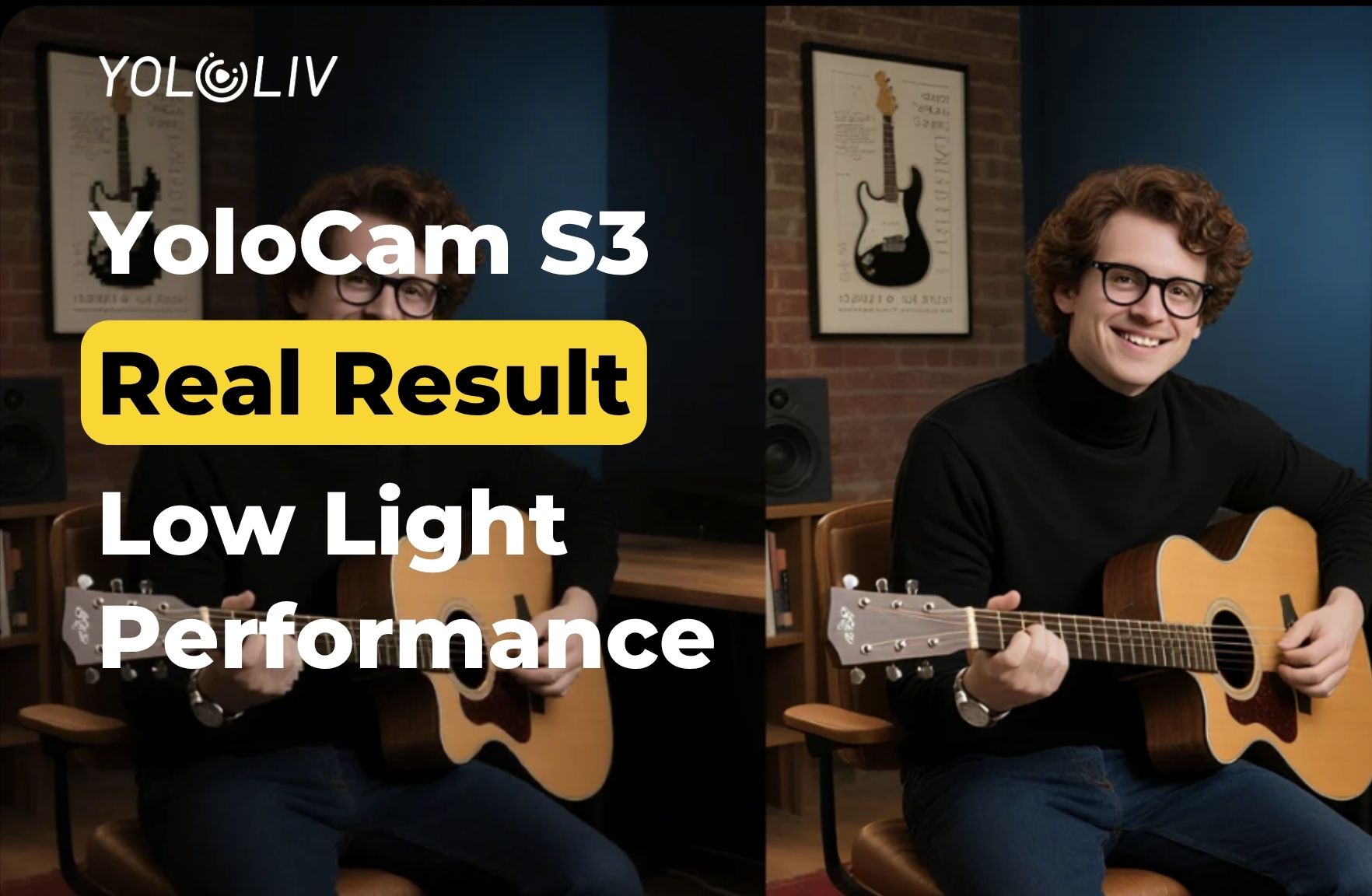
Low light is where most webcams fail. During the day, with a window in front of you and decent overhead lighting, almost any modern webcam looks acceptable. However, switch to an evening stream — desk lamp only, monitor glow, maybe a ring light you haven’t set up yet — and the image falls apart fast.
Grain appears. Colors shift. Autofocus starts hunting. The image gets that unmistakable “late night webcam” look.
The YoloCam S3 was built to solve exactly this problem. Its large 1/1.3-inch sensor and f/1.85 aperture are specifically designed to capture more light than the cameras most streamers currently use. But does it actually deliver? Here’s what you need to know.
Why Low Light Is Hard for Most Webcams
To understand what YoloCam S3 does differently, it helps to understand why small-sensor cameras struggle.
Most webcams use sensors between 1/4″ and 1/3″ in size. These sensors have small individual pixels. Small pixels capture less light. As a result, in dim conditions, the camera has two options: underexpose the image (dark and muddy) or amplify the signal (bright but noisy).
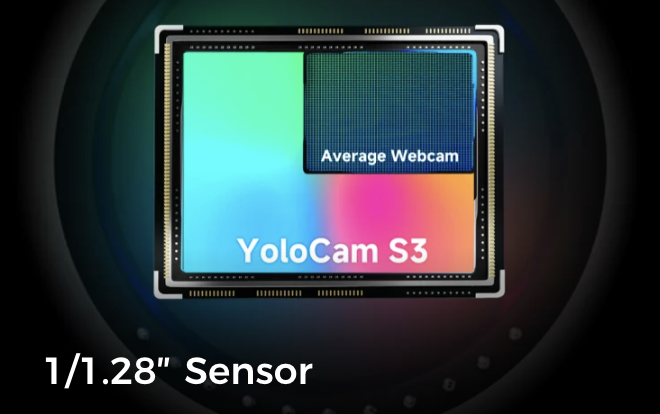
Most webcams choose amplification. They boost the signal digitally. This is called increasing ISO. However, digital amplification doesn’t just brighten the image — it also amplifies the noise already present in the signal. The result is the grainy, speckled look that defines poor low-light webcam footage.
Additionally, small sensors struggle with autofocus in low light. Contrast-detection autofocus relies on image contrast to find focus. In dark scenes, contrast drops. So the camera hunts — adjusting focus back and forth, searching for sharpness that’s hard to find.
The S3 addresses both problems with hardware rather than software.
What the S3 Does Differently
The S3’s 1/1.3-inch sensor is roughly three to four times the surface area of a standard webcam sensor. Larger pixels collect more light. More light means the camera doesn’t need to amplify the signal as aggressively. Consequently, images stay cleaner at lower light levels.
Additionally, the f/1.85 aperture is wider than most webcam lenses. A wider aperture lets in more light — comparable to the difference between opening a window slightly versus throwing it fully open. Together, the large sensor and wide aperture give the S3 significantly more light-gathering capability than cameras in its class.
Furthermore, the S3 uses PDAF (Phase Detection Autofocus) rather than contrast detection. PDAF measures the phase difference of light hitting the sensor directly. It calculates the correct focus position without needing to hunt. As a result, it maintains confident, stable autofocus even in dim conditions where contrast-detection cameras lose their footing.
Testing the S3 in Real-World Low-Light Scenarios
Here’s how the S3 performs across the conditions that evening streamers actually face.
Desk Lamp Only (No Overhead Lighting)
This is the most common evening streaming scenario. One lamp — usually off to one side — provides the primary light source. The rest of the room is dim.
Small-sensor webcams in this condition typically produce a face that’s bright on one side, dark on the other, with noticeable noise in the shadow areas. The image looks uneven and unintentionally dramatic.
The S3 handles this cleanly. The large sensor captures enough light from the single lamp to expose the face evenly without aggressive brightening. Shadow areas hold detail rather than collapsing into grain. Color temperature stays accurate. The result looks like a deliberate one-light setup, not an afterthought.
Monitor Glow Only
Gaming streamers and late-night creators often stream in rooms lit primarily by their monitors. This is one of the most challenging conditions for any camera — the light source is directly behind the subject from the camera’s perspective, and its color temperature shifts constantly as the screen changes.
Most webcams struggle here badly. They either underexpose the face (silhouette effect) or overexpose trying to compensate for the backlight, washing out the image.
Mixed Lighting (Warm Lamp + Cool Monitor)
Mixed color temperatures are another common evening challenge. A warm desk lamp on one side and a cool monitor on the other creates a split-tone effect on faces — one side orange, one side blue.
The S3’s manual white balance control (via Compose) lets you lock to a specific color temperature. This doesn’t eliminate mixed light, but it gives you a consistent baseline. Additionally, the larger sensor captures the scene with more detail, giving you more flexibility to address the color balance in software if needed.
Dim Overhead Lighting Only
Ceiling lights dimmed or set to a warm, low-intensity setting. This is common in home offices that double as living spaces in the evening.
In this condition, the S3 produces a clean, well-exposed image where most 1/3″ sensor cameras start introducing visible noise. Autofocus stays stable. Skin tones remain accurate rather than shifting toward orange or green as the camera’s auto white balance struggles with the dim warm light.
Comparing Low-Light Performance to Common Alternatives
vs. Logitech C920: The difference in low light is significant and immediately visible. The C920 introduces noise early in dim conditions and applies heavy noise reduction that smears facial detail. The S3 stays clean with preserved texture at light levels where the C920 starts degrading.
vs. Logitech MX Brio: The MX Brio has a 1/2.7″ sensor — larger than the C920 but smaller than the S3. It performs better than older Logitech cameras in low light. However, the S3’s larger sensor still produces a cleaner, more detailed image in dim conditions. The gap is smaller than with the C920, but it’s consistent.
vs. Razer Kiyo Pro Ultra: These two cameras are the closest comparison in low-light capability. Both have large sensors and wide apertures. The S3’s PDAF gives it more stable autofocus in low light. Image quality in dim conditions is comparable, with a slight edge to the S3 on color accuracy out of the box.
Practical Tips for Getting the Most from the S3 in Low Light
The S3 performs well in low light without any adjustments. However, a few simple steps push it further.
Lock your exposure in Compose. Set exposure manually for your face in your typical streaming environment. This prevents the camera from re-exposing mid-stream when your monitor changes.
Set a manual white balance. In mixed or dim lighting, automatic white balance can drift. Lock it to a reference point for consistent color throughout your stream.
Use face-priority autofocus. In the Compose app, switch to face-priority AF mode. This tells the camera to prioritize keeping your face sharp, even when other elements in the frame change.
Add one light source, even a small one. The S3 handles low light well, but a single inexpensive key light — even a basic LED panel — makes a visible difference. The S3 doesn’t need a ring light or a full softbox setup. A $30 LED panel pointed at your face is enough for the S3 to look excellent.
Bottom Line
The S3 is genuinely one of the best low-light webcams available at its price. Its large sensor and wide aperture collect significantly more light than standard webcam hardware. PDAF keeps autofocus steady in dim conditions. And the Compose app gives you the manual controls to lock exposure and white balance for consistent results.
For evening streamers who’ve struggled with grainy, hunting, color-shifting webcam footage — the S3 addresses the problem at the hardware level. That’s a more reliable solution than any software fix.
The YoloCam S3 is available at $199 from the YoloLiv official store, Amazon, and B&H. Want to know more about how PDAF autofocus works in challenging conditions? Read our full PDAF explainer here.
59 total views, 59 views today

Meredith, the Marketing Manager at YoloLiv. After getting her bachelor’s degree, she explores her whole passion for YoloBox and Pro. Also, she contributed blog posts on how to enhance live streaming experiences, how to get started with live streaming, and many more.
